Principle #
In Stylo, a dissertation or thesis is a type of corpus composed of articles.
To create a dissertation or thesis using Stylo, you must:
-
Write one Stylo article per section
-
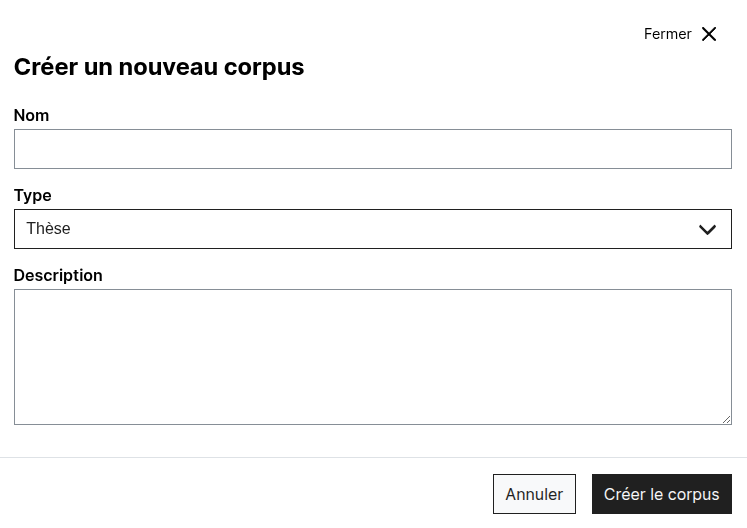
Create a corpus of type
Thesis
-
Gather all the articles that correspond to your sections in this corpus
-
Arrange them by dragging and dropping
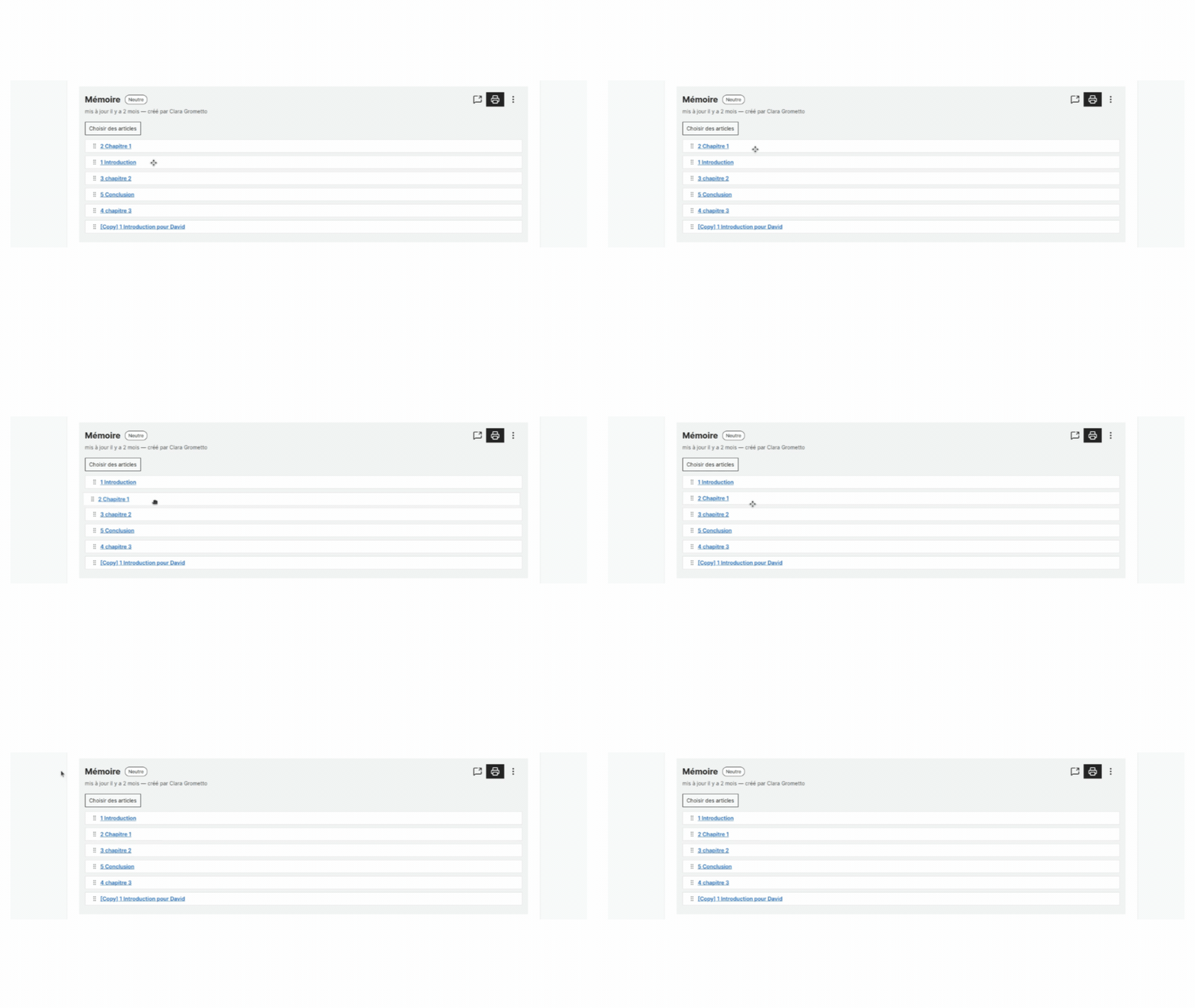
Each section of the dissertation or thesis therefore functions as a Stylo “article”, meaning that:
-
It has its own metadata;
-
It has its own bibliography;
-
It can be shared as such (public annotation link, sharing for collaboration, etc.);
-
The different parts are combined when the dissertation or thesis is exported.
Where to fill in metadata? #
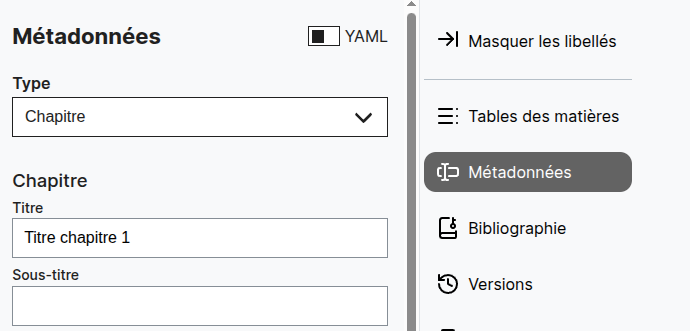
Metadata for a part of the dissertation or thesis should be entered at the article level. There is a special form that uses the same YAML metadata keys as the article, but it renames and sorts the form fields so that only relevant fields are visible: this is the “chapter” form. The only important metadata field, and the only one that should be filled in at a minimum, is the “title” field (see below).
Global metadata for the thesis (author, date, etc.) must be entered at the corpus level. Selecting the “Thesis” type also results in a specialized form with relevant fields dedicated to this type of document.
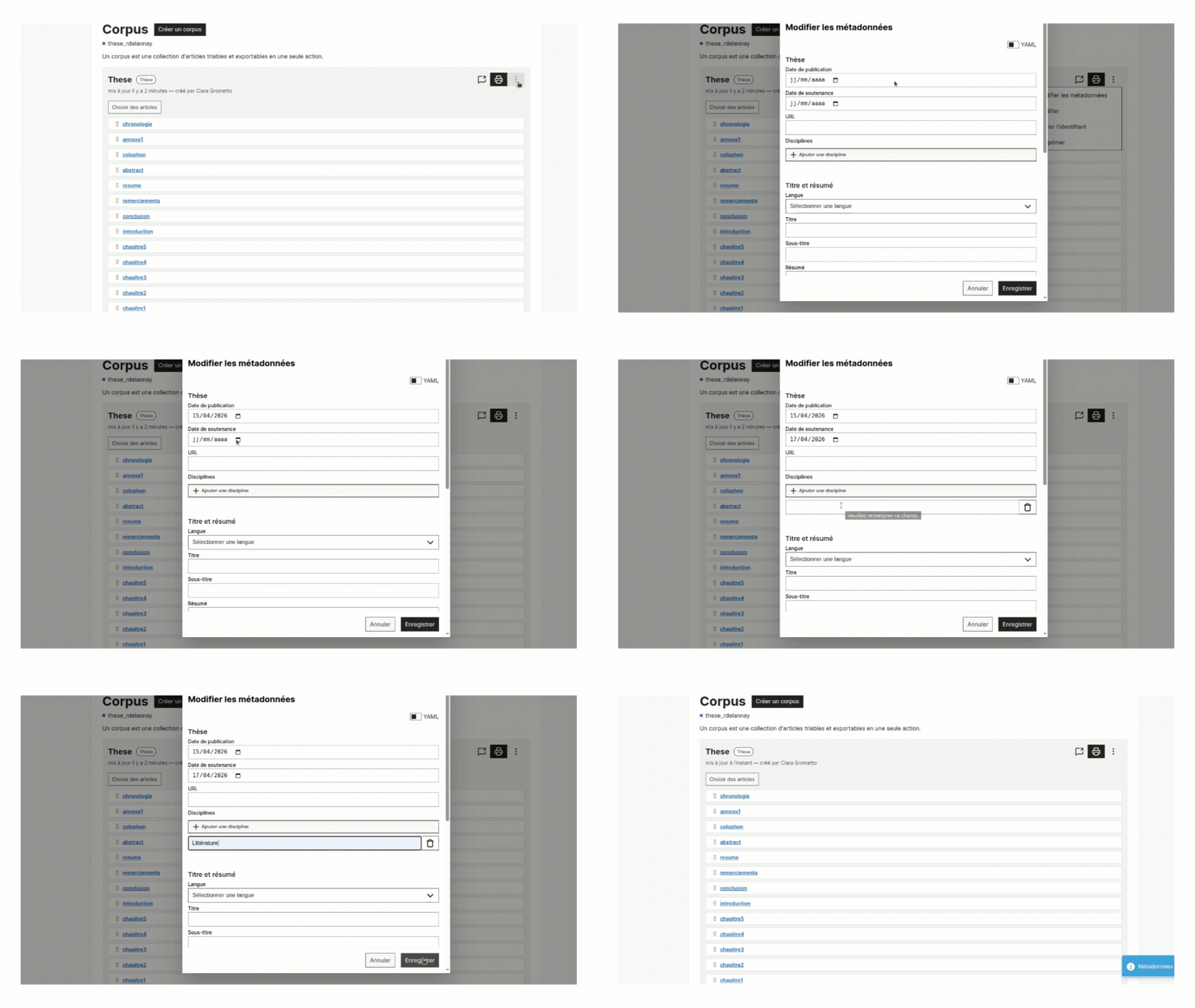
Don’t forget to save the metadata modal before closing it!
Title Levels #
As is standard practice on Stylo, the article title is the one entered in the metadata (not to be confused with the document name given when it was created on Stylo). It is therefore important to fill in the title field at least. Then, start with two hash symbols ## for the first subsection within the section, and then more hash symbols for sub-subsections.
Bibliography #
By default, the generated bibliography includes all the references cited or present in the various articles that make up the dissertation or thesis. The export module handles stacking the BibTeX files for each article and removing duplicate references as needed. They will appear in alphabetical order under the heading Bibliography at the end.
It is also possible to divide the bibliography into several sections. To do this, you must:
- For each bibliographic entry in BibTeX, add a key identifying the bibliographic section in the keyword field. This key must be a single word without hyphens (for example,
primfor primary references andsecfor secondary references). This step can be performed either in a bibliographic reference manager such as Zotero (see the image below), or directly in Stylo by modifying the raw BibTeX file.
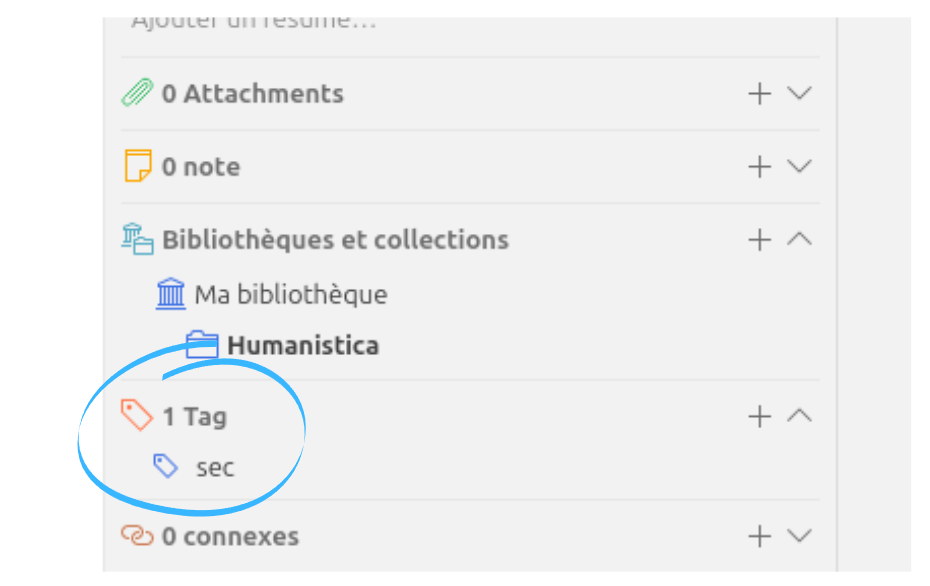
This will result in the following in BibTeX, on the last line (keyword):
@article{wevers_visual_2020,
title = {The visual digital turn: {Using} neural networks to study historical images},
volume = {35},
issn = {2055-7671},
shorttitle = {The visual digital turn},

url = {https://doi.org/10.1093/llc/fqy085},

doi = {10.1093/llc/fqy085},
...
keywords = {sec},
}
-
Create an article with the metadata title “Bibliography” and add it as the last chapter of the corpus.
-
For each subsection, add a level 2 heading (
##) followed by the following code snippet:
::: {#refs-<key-identifying-this-section>}
:::
Example:
## Primary Corpus

::: {#refs-prim}
:::

## Secondary References

::: {#refs-sec}
:::
Acknowledgments #
Acknowledgments can be injected directly into the raw YAML metadata, pending the addition of the key to the form:
'@version': '1.0'
abstract: here is the abstract
acknowledgments: |

Thank you Jacques for...

Thank you Jacqueline for...
Exports #
Printed Version #
The PDF export of the thesis or dissertation is done via the export module at this link: https://export.stylo.huma-num.fr/
It uses a LaTeX template that meets the requirements of most departments at UdeM (however, we encourage you to verify this). The choice of the Old Standard font is somewhat unconventional but allows for the processing of Ancient Greek characters.
In the dedicated export module, here are the steps to follow:
-
Select the Theses/Dissertations option;
-
Give the export a title and locate the corpus identifier on the corpus page (which can be found in the three-dot menu);
-
Select the options:
-
with table of contentsto display the table of contents; -
with all citationsto include all items from your bibliography in the final bibliography, even references not cited in the text; -
with linked citationsto create a hyperlink for each reference cited in the text, leading to the full bibliographic reference in the Bibliography.
Export to HTML or Original Files #
Exporting your entire dissertation or thesis to HTML is done in the corpus manager on Stylo. Click on the printer icon 🖨 and select “HTML” as the format. This creates a ZIP archive containing one independent HTML file per article.
You can also perform the same operation with the “original files (md, yaml, bib)” option, which creates a ZIP archive containing the source files for each article. These files can then be provided as input files to a static site generator (such as Quarto, Jekyll, Hugo, or Le Pressoir), which can generate (as output) a website for your dissertation or thesis.
Context and a word of caution #
Stylo can be a valuable tool for writing a dissertation or thesis that aims to move away from proprietary environments. Markdown has the advantage of lightweight markup, allowing you to write while avoiding the noise that can be present in more verbose syntaxes like LaTeX or HTML. Stylo also facilitates collaboration with your reviewers and ensures the bibliography is formatted according to a chosen style. Finally, its numerous export options pave the way for multi-format publication.
That said, a dissertation or thesis is a complex document whose formatting requirements exceed what Stylo and Markdown can offer for the final printed version. Exporting a thesis corpus to PDF currently presents several limitations. The most significant concerns the automatic numbering of section titles: it is not possible to distinguish between titles at the same level that should be numbered (Chapter 1, Chapter 2, etc.) and those that should not (Introduction, Conclusion, etc.). To achieve a more suitable result in this regard, the output .tex file must be modified a bit. It is also not possible to create sections encompassing the “chapters”.
Furthermore, Stylo does not handle the automatic creation of indexes and glossaries [it is possible to insert LaTeX code into Markdown, but this syntax is cumbersome. The template does not support printing these two appendices]. As for presentation criteria, they often vary from one institution to another: the layout of the preliminary pages may not be suitable depending on the amount of information you wish to include. Finally, it is not possible to include appendices.
For these reasons, and even though potential future developments will address some of these shortcomings, we advise against relying directly on a PDF export from Stylo for your final output. However, Stylo generates a well-structured and commented .tex file, which provides a good starting point for customization. Feel free to contact us: we would be happy to assist you in learning LaTeX and producing a PDF that meets your expectations.